
Bookings & Calendar
Slot -> booking -> payment -> confirmed
Timeline field
09h10h11h12h13h
Slot
- Eliminate slot conflicts
- Maximize occupancy hour by hour
- Speed up peak-time adjustments
Run every site in real time, reduce front-desk friction, and keep full visibility over every transaction.
real time
Availability & status
clear operator flow
Payments & POS
reliable decisions
Access & traceability
Operational modules
From booking to access, structured workflows help teams execute without blind spots.
Slot -> booking -> payment -> confirmed
Timeline field
Captures product
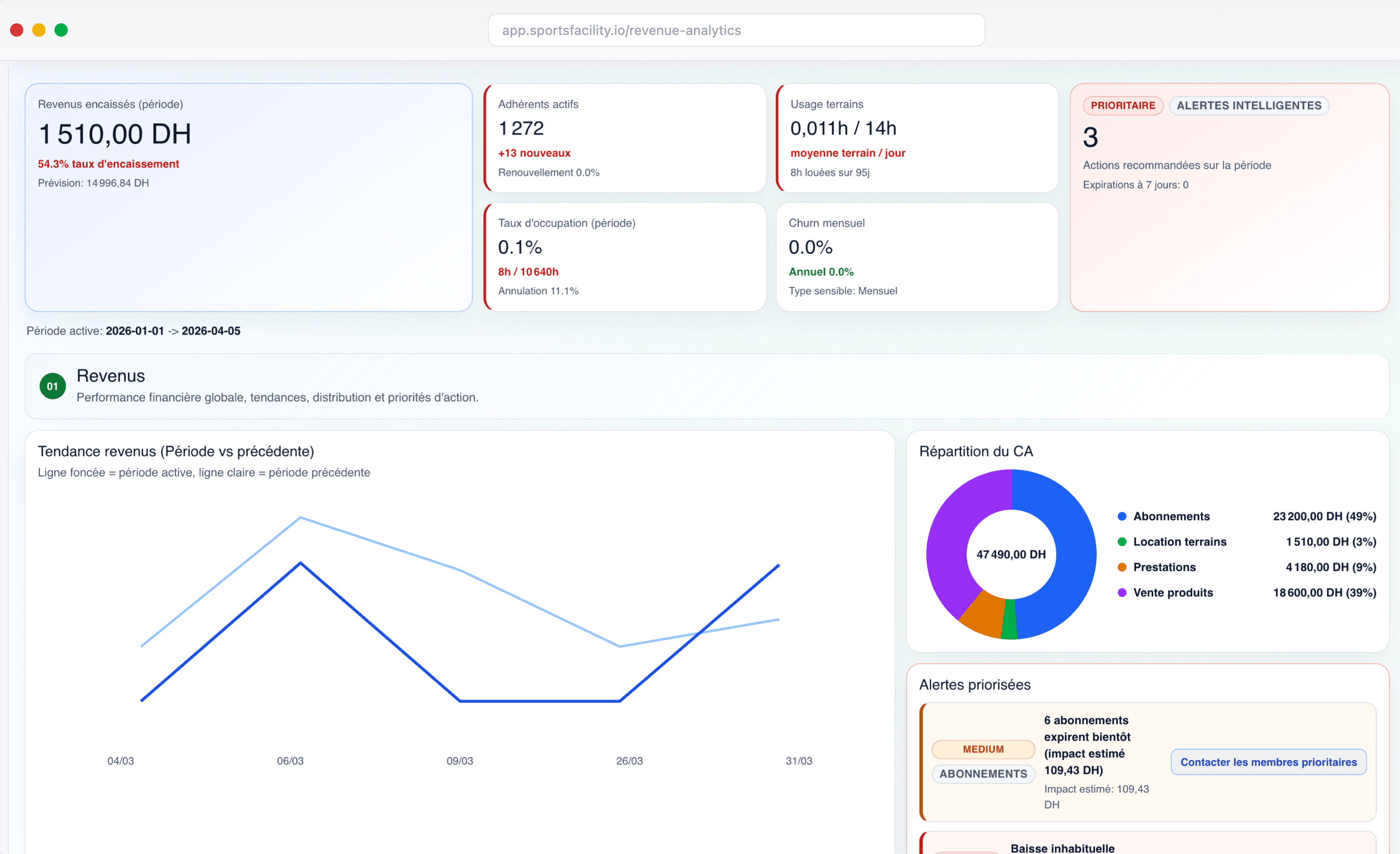
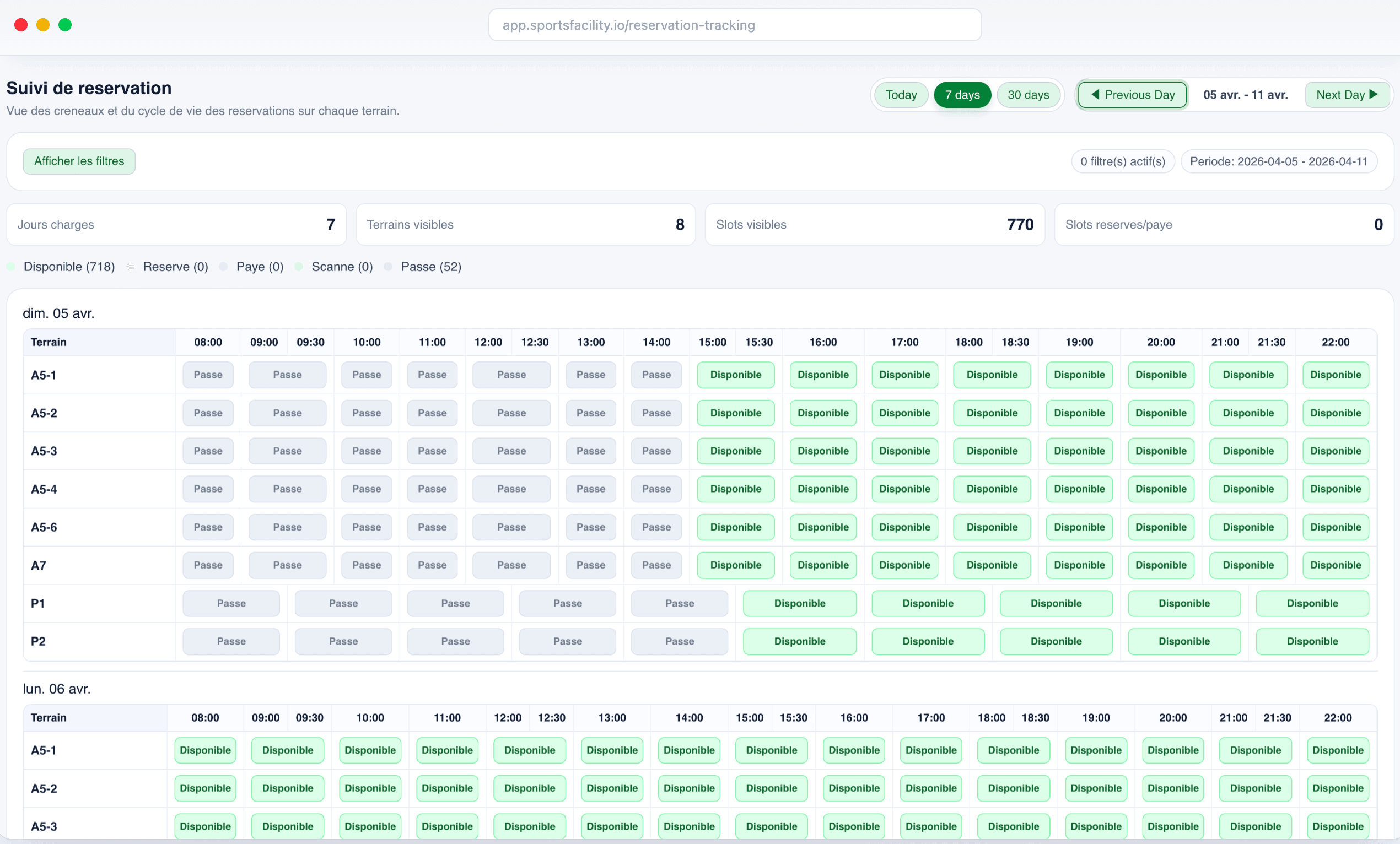
Real screens covering bookings, field setup, POS, stock, access control, and memberships.

Active capacity
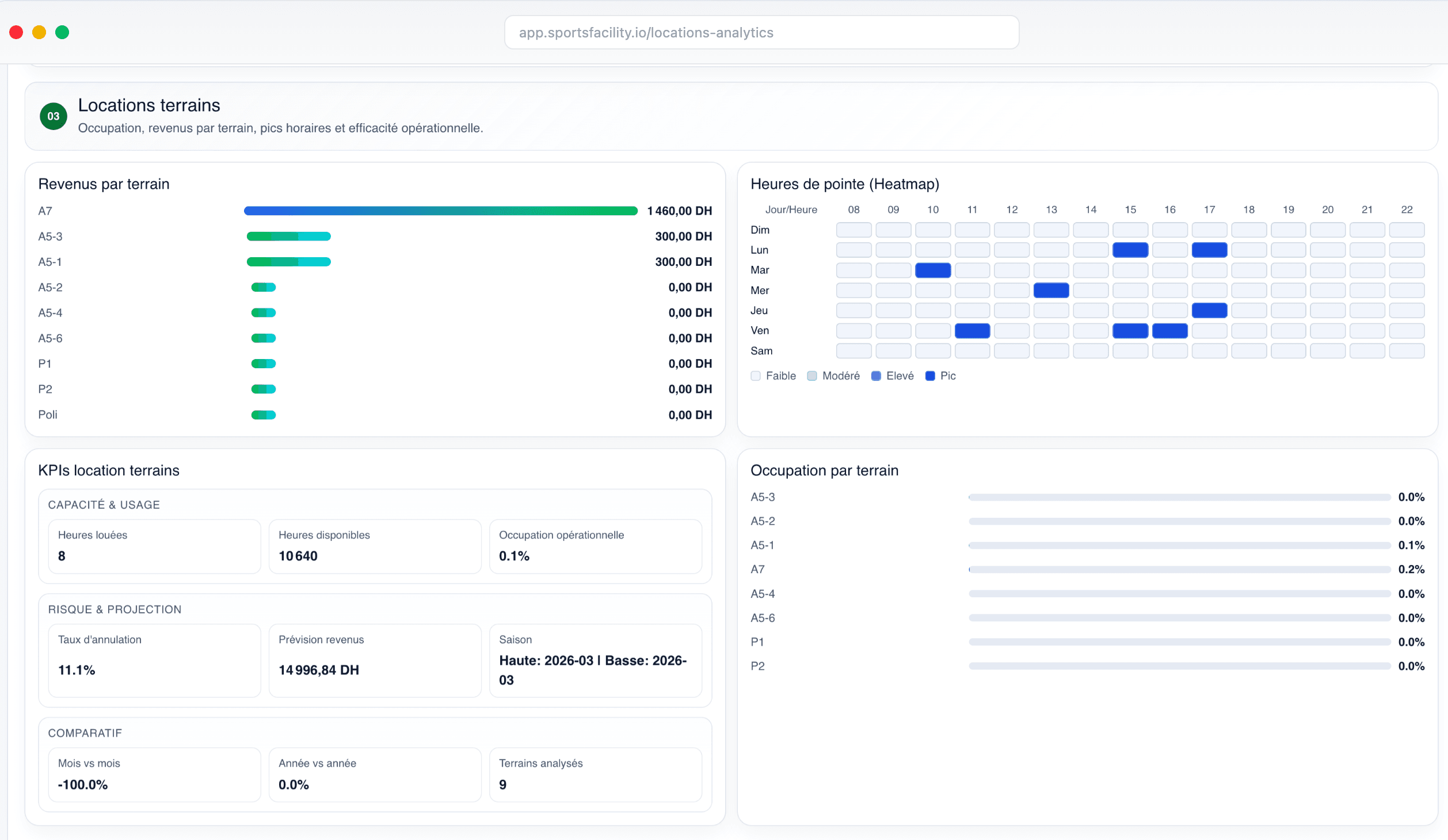
Bookings calendar
Step 01
Keep live visibility over bookings across every court or field, with fast scheduling actions during peak hours.
98%
booking clarity during peak time
Operational note: ideal for high-volume front-desk slots.
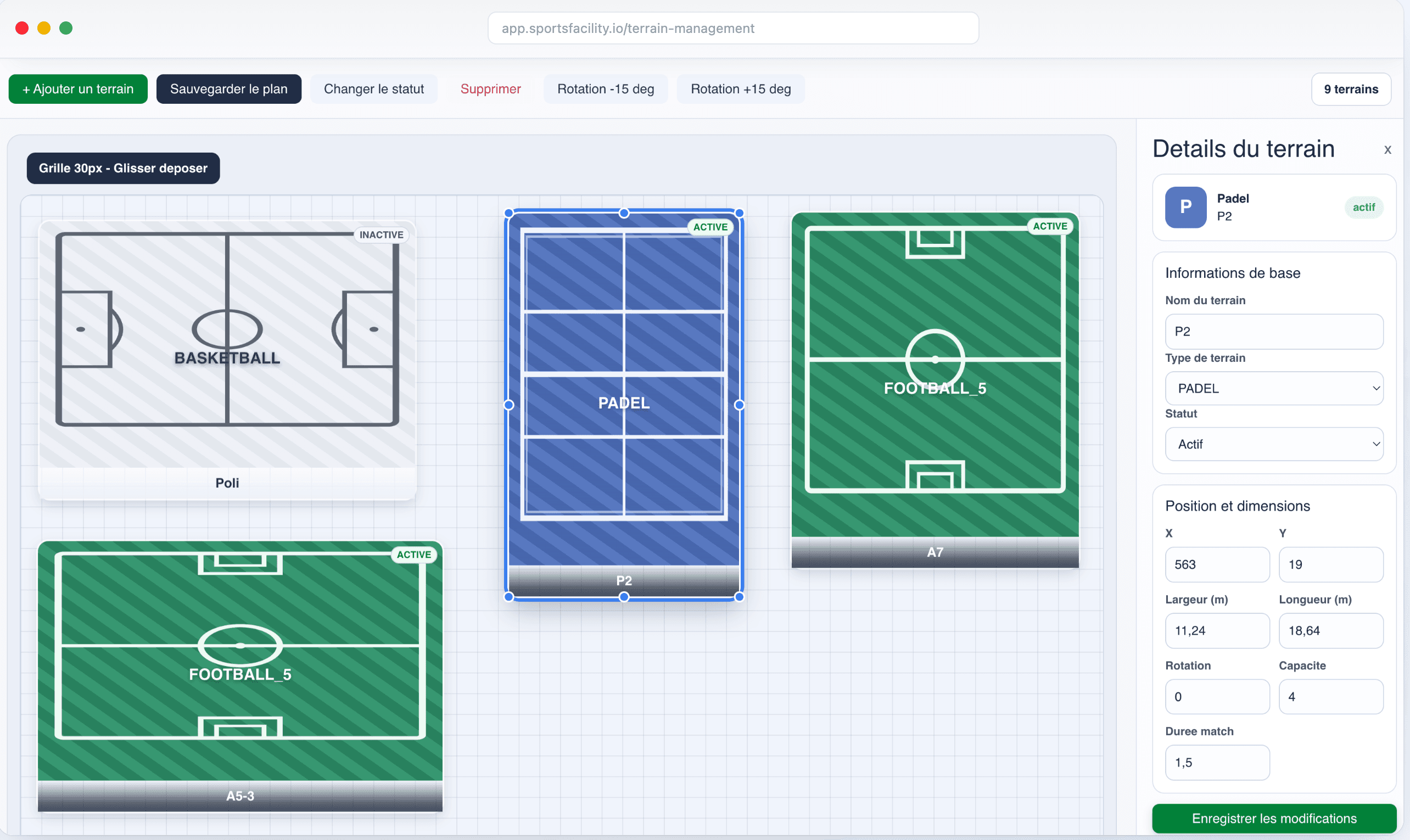
Step 02
Configure courts, fields, and zones with a visual canvas built for sports facilities.
Canvas
layout control in one view
Perfect for football, padel, and multi-sport facilities.
Step 03
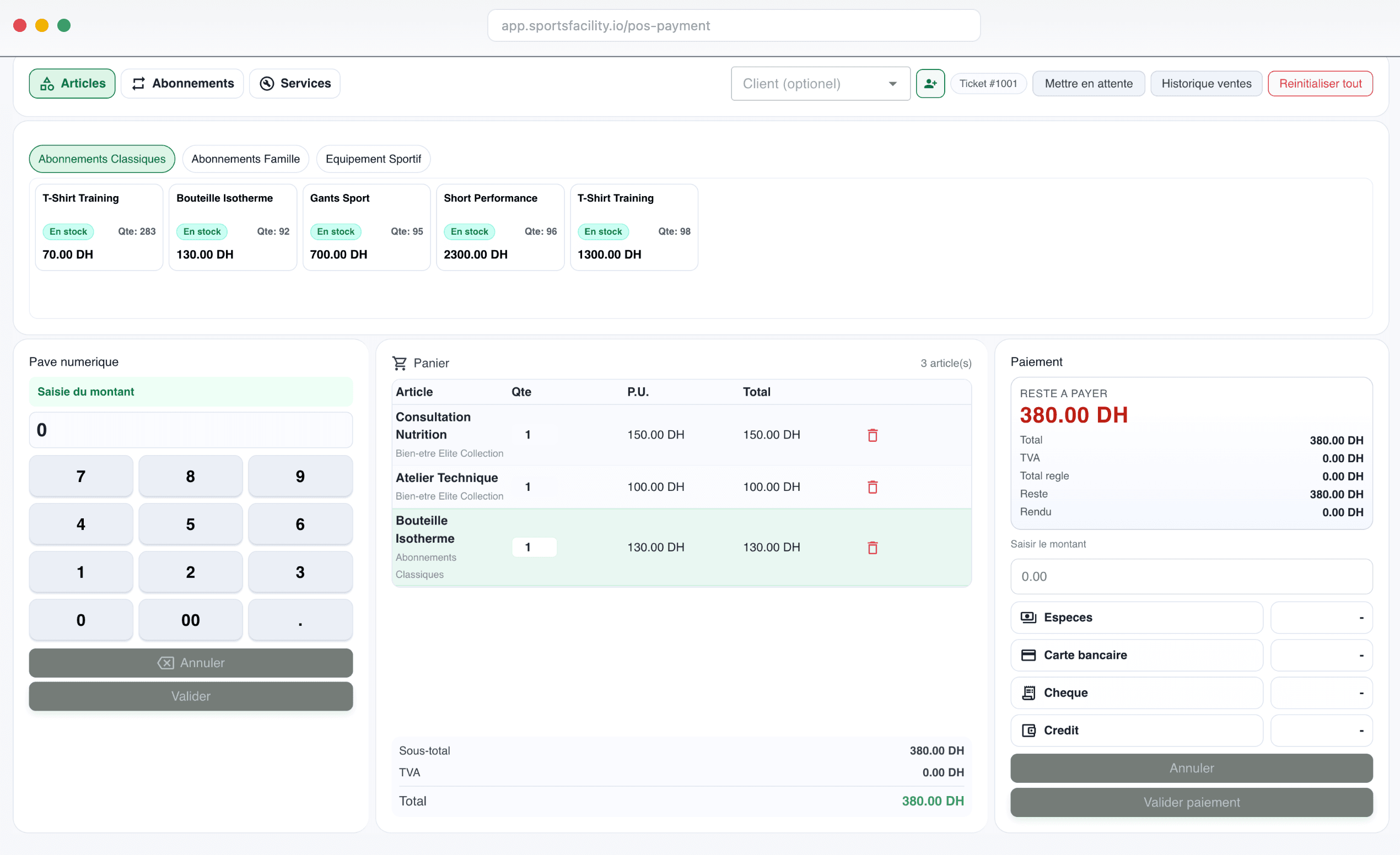
Run front-desk checkout with clearer payment statuses and stronger end-of-day reconciliation.
POS
checkout and reconciliation control
Operational note: designed for service speed and payment reliability during rush hours.
Step 04
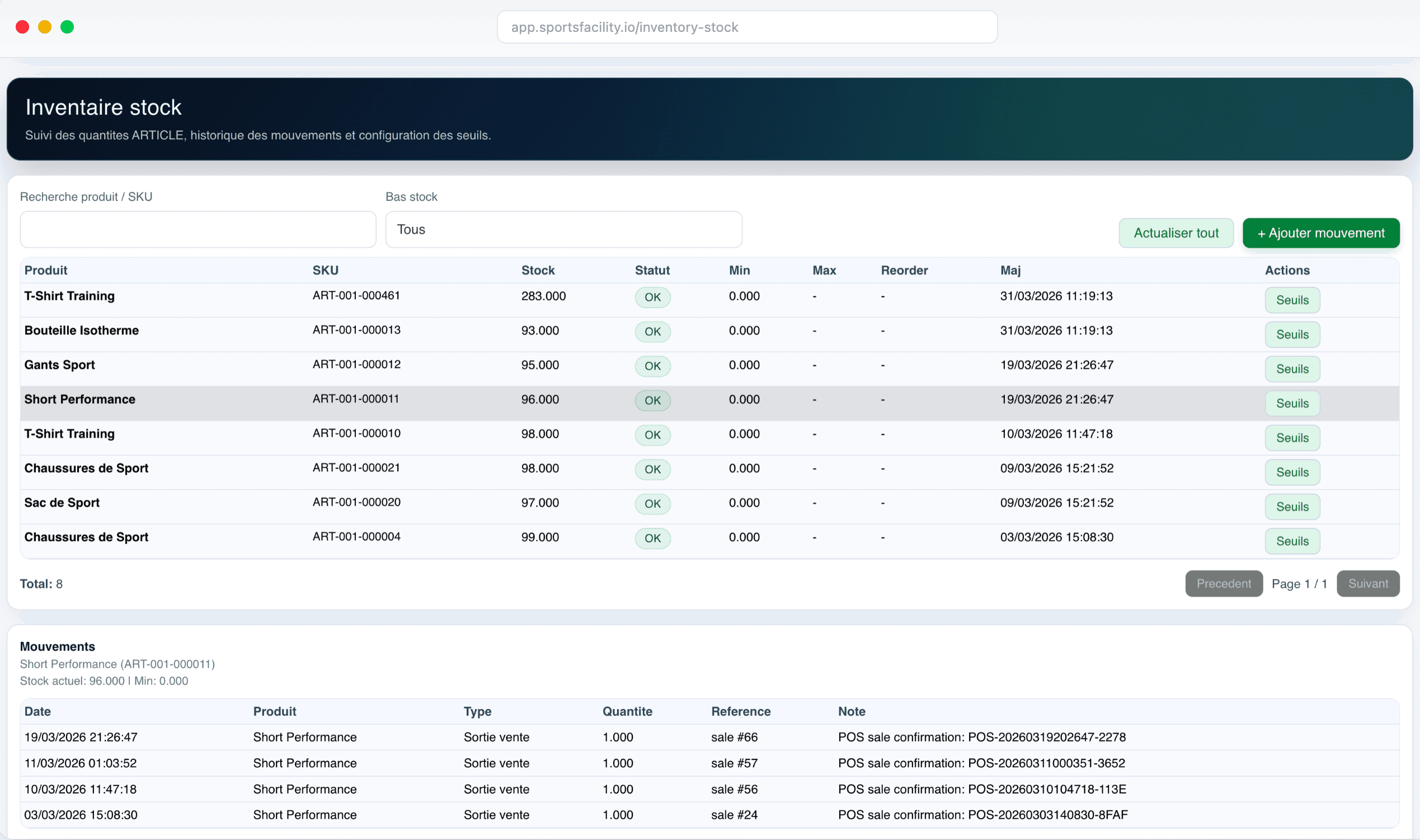
Track quantities, thresholds, and item movements live to keep a reliable view of operational stock.
Stock
level and movement tracking
Useful for securing item availability and limiting stockouts.
Step 05
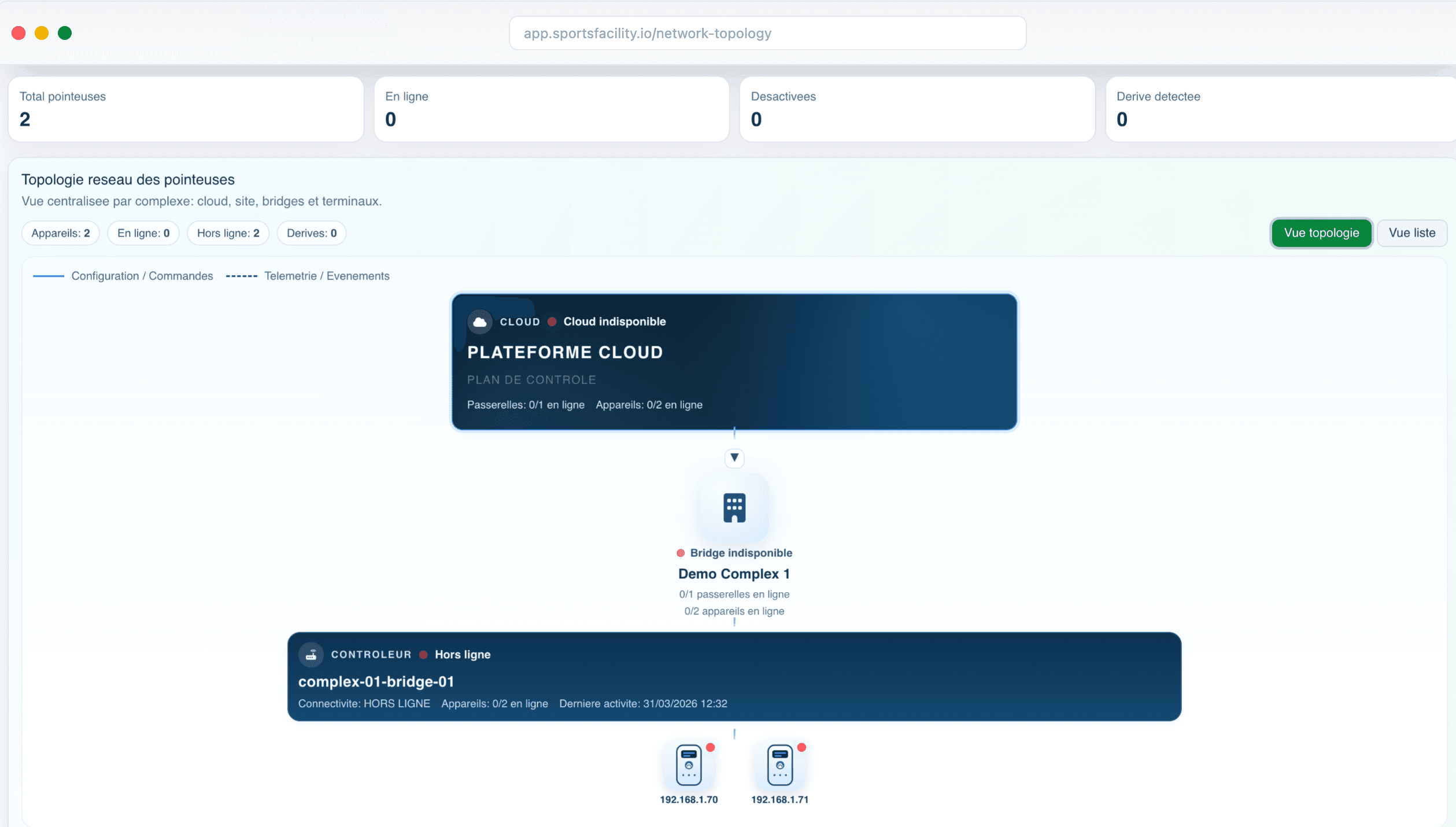
Centralize bridges, terminals, and door statuses to improve incident traceability and operational response.
3.1x
faster incident tracing
Operational note: built for multi-site supervision and access incident traceability.
Step 06
Track every membership cycle from activation to expiration with clear operational control.
Cycle
end-to-end membership control
Ideal for academies, gyms, and recurring memberships.
Platform view
Bookings, POS, memberships, access control, and reporting work as one graph for multi-site supervision.
Bookings
POS
Noyau Flyfox
Graphe operational
Shared data, shared workflows, shared accountability
Memberships
Access Control
Reporting
Operational credibility
Designed for real workflows from day one: bookings, checkout, access, and supervision.
Differentiator 1
Built around real facility workflows: front desk, checkout, memberships, and access control.
Differentiator 2
Entry decisions are based on connected operational data: eligibility, equipment, and event history.
Differentiator 3
Governance stays consistent across locations without removing local operational control from each team.
Expected operating gains
Practical operating improvements across bookings, payments, access control, and multi-site operations.
6:00 PM slot confirmed
Booked slots and schedule changes stay immediately visible for the front-desk team.
Payment validated
POS payments are validated without manual cleanup at the end of the shift.
Entry validated - Terminal A2
QR scan, eligibility check, and entry decision follow the same flow.
Casablanca - Rabat - Marrakech
Teams manage bookings, checkout, and access from one shared operating source.
Conversion path
In one session, we map your daily operations in Flyfox to show more rigorous and actionable control.
Demo agenda
Session
45 minutes of operational demonstration
Deliverable
Deployment plan adapted to your sites and teams
Focus areas
Bookings, reconciliation, traceability, supervision